Minimum, target, maximum
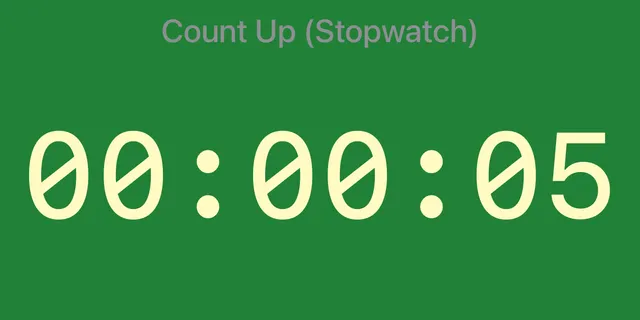
Give each speaker's Schedule Item a Minimum, Target and Maximum Duration, for example 5, 6 and 7 minutes for a prepared speech. The background turns green, yellow and red as each one is reached.
Toastmasters
For the Timer at a Toastmasters meeting. A Count-up timer turns the screen green at the speaker's minimum time, yellow at the target and red at the maximum. The digits stay hidden, so the speaker watches the colour, not the seconds.
How it works
Give each speaker's Schedule Item a Minimum, Target and Maximum Duration, for example 5, 6 and 7 minutes for a prepared speech. The background turns green, yellow and red as each one is reached.
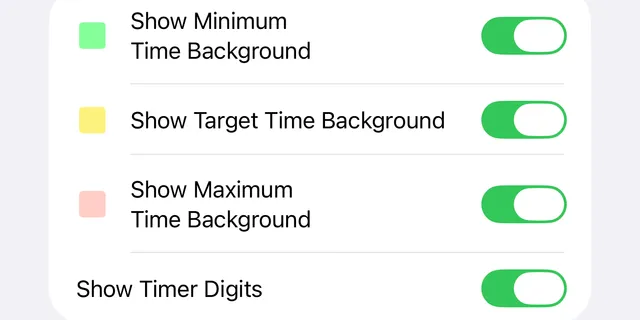
In Settings, turn off Show Timer Digits. A Count-up timer then shows only its colour, so the speaker is not distracted by the running time. Leave the three background switches on.
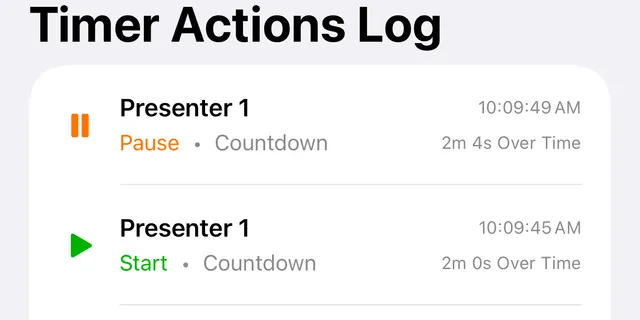
The Timer Actions Log records every start and pause with the speaker's name, the time of day and the time on the timer. Open it in Settings after the meeting to report each speaker's time.
For the Timer
Start and stop a Count-up timer a few times before the meeting, until each takes a single tap. In full screen the controls are out of sight: tap the timer once to bring them back, then stop it. Practise that too, so every speaker's time is recorded at the moment they finish.